Formworkers
Finally learn CAD in a way that makes sense for what you do.
Leading Hands & Foremen
Level up your skills and communicate more clearly on every project.
Estimators
Understand exactly what's involved before putting a number to it.
Site Supervisors
Communicate what needs to be built—clearly and professionally.
Formwork Business Owners
Invest in skills that make your business more competitive.
Others in the Industry
Anyone who can benefit from learning CAD in the context of formwork.
8-WEEK SLIDER
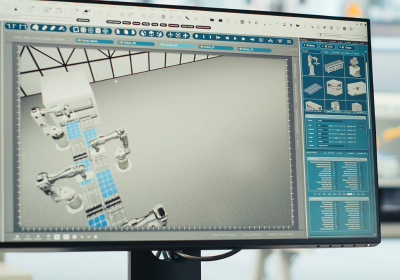
Week 1
Foundation & Setup
Week 2
First Concrete & Formwork
Week 3
Walls - Concrete & Formwork
Week 4
Deck Formwork & Blocks
Week 5
Stairs - Concrete & Formwork
Week 6
Import/Export & Curved Geometry
Week 7
Creating Professional Drawings
Week 8
Putting It All Together
What You'll Learn Each Week
Course Breakdown
Week 1: Foundation & Setup
-
Start from scratch. Learn how to navigate Rhino, set up your files properly, and begin drawing. You'll finish the week with the base layout for your first project.
Week 2: First Concrete & Formwork
-
Turn your 2D layout into 3D. Model the ground slab and columns, then design the formwork to build them.
Week 3: Walls - Concrete & Formwork
-
Design wall formwork from scratch. Model the concrete, work out ply joints and tie locations, then build the shutters.
Week 4: Deck Formwork & Blocks
-
Model the upper slab and design the deck formwork. Learn how to use blocks—reusable components that save you time on repetitive work.
Course Breakdown
Week 5: Stairs - Concrete & Formwork
-
Model a complete staircase and its formwork. Treads, risers, landings, riser forms, and support structure—all from scratch.
Week 6: Import/Export & Curved Geometry
-
Import external files, model a curved precast element, and create the formwork. Learn how to export correctly and produce quick documentation.
Week 7: Creating Professional Drawings
-
Turn your models into professional shop drawings. Sections, elevations, dimensions, annotations—everything you need to communicate clearly.
Week 8: Putting It All Together
-
Extract material quantities, plan logistics, and compile your portfolio. Apply everything you've learned to real-world workflows.
HOW IT WORKS

Weekly Live Sessions
Join live each week for 2 hours. Ask questions, troubleshoot problems, and learn together.

Self-Paced Study
Step-by-step videos, reference guides, and practice exercises to complete in your own time.

The Digital Foundation
The sample project that ties everything together. You'll build it from the ground up over 8 weeks.
Start Learning Today
You've got the formwork experience. This course gives you the CAD skills to match. 8 weeks, practical skills, real results.
Course Fee: $800 + GST
Enroll Now